Rapid Trigger 60% Magnetic Keyboard: Tune Faster Resets
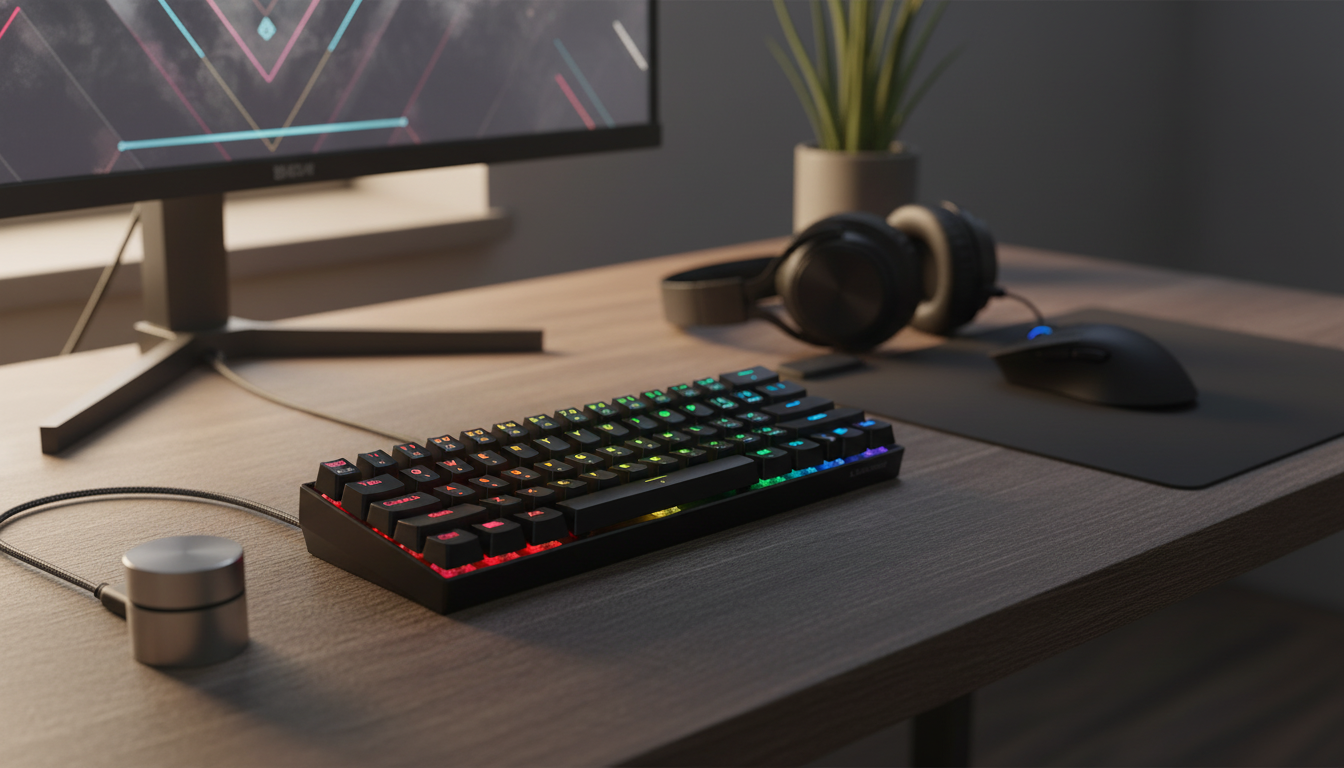
Rapid-Trigger 60% Gaming Keyboard with Magnetic Switches: Faster Resets, Smaller Footprint
Rapid-trigger keyboards with magnetic switches are built for players who value immediate key resets, precise actuation control, and a compact setup. With continuous sensing under each key, these boards can register presses and releases in a more “position-aware” way than traditional contact-based switches. That can translate into snappier movement corrections in FPS games, cleaner repeated taps in rhythm titles, and less wasted travel when alternating directions. Below is a practical breakdown of how it works, what it changes in gameplay, and what to verify before picking a 60% board.
What “rapid trigger” means on a magnetic-switch keyboard
Rapid trigger is the ability for a key to reset the moment it begins moving upward, rather than waiting for a fixed reset point. On a magnetic (Hall effect) keyboard, the switch position is read continuously, which allows the firmware to decide when a press should register and when it should “let go” based on distance traveled instead of a single mechanical contact.
In practice, this can reduce dead travel between presses and releases. When you’re tapping repeatedly, strafing, or doing quick directional changes, the key can be ready to re-trigger with less movement—assuming your actuation and rapid-trigger sensitivity are tuned sensibly.
Terminology worth recognizing in product listings and software menus includes adjustable actuation, dynamic reset, analog-style sensing, and per-key calibration.
How magnetic switches differ from traditional mechanical switches
Traditional mechanical switches rely on a fixed electrical contact point. Actuation happens when metal contacts close, and reset happens when they separate—both at predetermined positions that don’t change unless you swap the switch.
Magnetic switches use a magnet and sensor to measure distance. The keyboard firmware interprets movement thresholds, which is why many magnetic boards can offer adjustable actuation distances and rapid-trigger behavior. A potential upside is less reliance on metal contact bounce; a potential trade-off is that the final “feel” of responsiveness depends heavily on firmware quality, software support, and how well the board is calibrated.
Magnetic rapid-trigger vs traditional mechanical behavior
| Feature | Magnetic (Hall effect) + Rapid Trigger | Traditional Mechanical |
|---|---|---|
| Reset behavior | Dynamic (resets as key rises) | Fixed reset point |
| Actuation tuning | Often adjustable per key (distance-based) | Typically fixed by switch design |
| Input feel across games | Can be tuned for tap/hold sensitivity | Consistent but less configurable |
| Software reliance | Higher (profiles/firmware matter) | Lower (mostly plug-and-play) |
| Common use cases | Competitive movement, fast tapping, rhythm precision | General gaming/typing |
Why rapid trigger can matter in games
Rapid trigger can tighten timing in situations where releases matter just as much as presses. In many shooters, faster counter-strafes and directional corrections come down to how quickly a key is recognized as released before the opposite direction is pressed. If the reset is dynamic and quick, you can reduce the “laggy” feeling that comes from waiting for a fixed reset point.
It can also help with repeated taps—movement keys, ability binds, and rhythm inputs—because the keyboard can re-arm sooner after a partial release. The caveat is that overly aggressive settings can create accidental inputs, especially when resting fingers on movement keys. The best results typically come from pairing rapid trigger with actuation distances that match your grip, posture, and game genre.
What a 60% layout changes (and who it suits)
A 60% keyboard removes the function row, navigation cluster, and numpad, keeping the core alphanumeric keys in a smaller footprint. The immediate benefit is extra desk space for mouse movement—especially helpful for low-sensitivity aiming where a larger mouse pad and wider swipes are common.
The trade-off is learning a function layer for arrows, F-keys, and media controls. Many players adapt quickly once their most-used shortcuts are mapped, but it’s worth considering if you frequently use dedicated nav keys for work.
A 60% layout is an especially clean fit for FPS players, minimal setups, LAN/travel, and smaller desks where every inch of mouse space counts.
Key features to check before buying a rapid-trigger magnetic keyboard
For deeper background on USB input device conventions, the HID Usage Tables are a useful reference. For the sensing principle itself, see Britannica’s overview of the Hall effect.
Tuning rapid trigger without making the keyboard feel “twitchy”
Featured product: Rapid-Trigger 60% Gaming Keyboard with Magnetic Switches
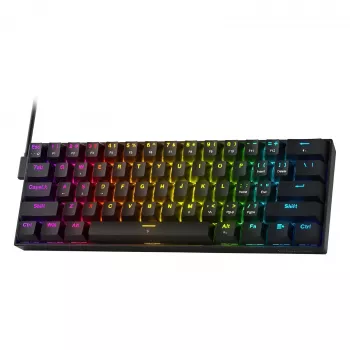
The Rapid-Trigger 60% Gaming Keyboard with Magnetic Switches targets players who want more mouse space without giving up the keys that matter most in-game. Its magnetic-switch design enables rapid-trigger behavior and adjustable actuation-style control when supported by the keyboard’s firmware/software features, making it a practical entry point for experimenting with faster resets and more responsive movement.
At-a-glance details
| Item | Details |
|---|---|
| Product | Rapid-Trigger 60% Gaming Keyboard with Magnetic Switches |
| Price | $45.51 USD |
| Availability | In stock |
| Product page | View product |
Setup checklist for day-one performance
More in-stock picks
FAQ
Do magnetic switches feel different from regular mechanical switches?
The physical feel depends on the switch design, springs, and the keyboard’s build, but the sensing is distance-based rather than contact-based. With tuning, the keyboard can feel more immediately responsive even if the downstroke feels similar to a traditional switch.
Will rapid trigger help outside of competitive shooters?
It can help in rhythm games and fast action titles where repeated taps and quick releases are common. The improvement depends on the game’s input timing and how well your actuation and reset settings match your playstyle.
How should actuation be set to avoid accidental key presses?
Start at a moderate actuation distance and adjust gradually after a few sessions. Keep movement keys slightly lighter if desired, but set deeper actuation for utility keys to reduce unintended triggers, ideally using separate profiles.













Leave a comment
You must be logged in to post a comment.