Automated Property Management Kickstart Checklist Guide

Why an Automated Property Management “Kickstart” Matters
Automation can take rental management from a daily scramble of spreadsheets, email threads, and missed follow-ups to a repeatable system that runs on clear rules. The catch: most frustrations with “automation” come from setting tools up out of order—adding payments before policies are defined, importing messy unit lists, or turning on resident messaging before templates are ready.
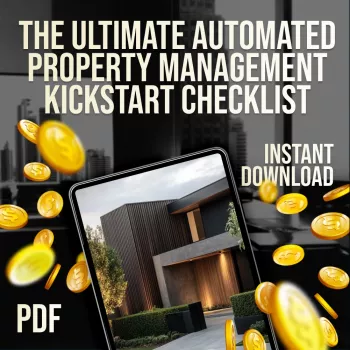
The The Ultimate Automated Property Management Kickstart Checklist (Digital Download) is designed as a setup sequence you can follow to map processes, standardize data, connect financial workflows, and launch resident communications with fewer missed steps.
What “automated” property management looks like in practice
Automation isn’t a single feature—it’s a connected set of workflows that reduce manual touchpoints without losing control. In a well-built setup, the day-to-day looks like this:
- One system of record for units, leases, residents, vendors, and accounting categories—so you don’t reconcile five versions of the truth.
- Self-serve resident workflows for applications, screening, lease signing, payments, maintenance requests, and notices.
- Rule-based reminders and tasks that standardize rent follow-up, late fees, renewals, inspections, and compliance items.
- Connected tools such as payment processors/bank feeds, e-sign, email/SMS, and vendor dispatch so handoffs don’t break.
- Dashboards and reports that replace manual spreadsheets for occupancy, delinquency, and maintenance status.
It’s also easier to stay aligned with general guidance and best practices when your workflows are documented and consistent. For broader context on rental housing resources and standards, see the U.S. Department of Housing and Urban Development (HUD) and professional operations resources from NARPM.
Before software setup: define policies and data standards
Automating a messy process just makes the mess faster. Before configuring any software, lock in the rules and naming conventions that prevent errors later:
- Decide non-negotiables: rent due dates, grace periods, late fee rules, returned payment fees, and your partial payment policy.
- Create naming conventions for properties/units (example: Building-Unit, bed/bath, rentable status) to avoid duplicates and mismatches.
- Standardize lease terms and addenda for pets, parking, utilities, smoking, and maintenance responsibilities.
- Outline resident communication rules: response time expectations, after-hours emergency handling, and preferred channels.
- Prepare migration data: current leases, move-in dates, deposits, ledgers, vendor list, recurring charges, and utility responsibilities.
For tax-related recordkeeping considerations that often influence how you categorize income/expenses, reference the IRS guidance on residential rental property (Publication 527).
Kickstart checklist: the recommended setup order
A reliable setup sequence keeps you from redoing work. The following order works well whether you manage one rental or a growing portfolio:
- Step 1 — Build the property/portfolio structure: properties, buildings, units, statuses, and rentable items (parking/storage).
- Step 2 — Configure financial foundations: chart of accounts (if applicable), fee types, tax settings, and security deposit handling.
- Step 3 — Set up the resident lifecycle: application workflow, screening steps, approval rules, lease templates, and e-sign settings.
- Step 4 — Enable payments: payment methods, autopay rules, owner payouts (if relevant), and reconciliation routines.
- Step 5 — Launch maintenance automation: categories, priorities, emergency definitions, vendor routing, and intake forms.
- Step 6 — Turn on communications: branded email templates, SMS opt-ins, notice templates, and scheduled reminders.
- Step 7 — Reporting and controls: delinquency, lease expirations, audit logs, user roles, and permissions.
- Step 8 — Go-live: pilot one property, confirm end-to-end flow, then roll out across the portfolio.
Setup timeline and what to verify before moving on
| Phase | Goal | Key items to confirm | Common pitfalls |
|---|---|---|---|
| Portfolio + Units | Accurate inventory | Units match leases; statuses correct; naming consistent | Duplicate units; mismatched unit IDs |
| Money + Fees | Clean ledgers | Late fees/grace periods correct; deposits tracked; recurring charges set | Wrong fee timing; deposit mixed with rent |
| Leasing | Faster onboarding | Templates correct; e-sign works; required disclosures attached | Outdated addenda; missing disclosures |
| Payments | On-time rent | Autopay enabled; receipts on; NSF flow defined | No fallback method; unclear partial payments |
| Maintenance | Lower response time | Emergency rules; vendor dispatch; photo uploads; status updates | No triage; vendors lack scope details |
| Comms + Notices | Consistent messaging | Templates branded; timing rules; opt-in tracked | Over-notifying; inconsistent tone |
| Reports + Controls | Visibility + security | Roles set; dashboards accurate; audit trail enabled | Too much access; unreliable metrics |
Automation building blocks to include in the checklist
Once the foundation is in place, the strongest automation systems share a few repeatable building blocks:
Go-live testing: a quick pass/fail launch plan
Digital download: what the Kickstart Checklist helps track
If you want the structured, check-the-box setup companion, start here: The Ultimate Automated Property Management Kickstart Checklist (Digital Download).
More digital downloads you may like
- The Solo Shopper’s Guide to Smart Grocery Budgeting | Digital Download
- Less Is Luxe: The Minimal Fashion Guide – Ultimate eBook
FAQ
What should be set up first when automating property management?
Start with your portfolio/unit structure and consistent naming conventions, then lock in financial rules for fees and deposits. After that, configure leasing templates and e-sign, then payments, maintenance workflows, and finally communications and reporting.
How long does it take to set up an automated property management system?
A basic setup can take a few hours for a small portfolio with clean data. Multi-property setups often take several days due to data cleanup, template review, payment verification, and go-live testing.
What data should be prepared before moving into new property management software?
Prepare a unit list, current leases, resident contact details, deposit balances, ledgers, recurring charges, vendor lists, fee rules, and your document templates (leases, addenda, notices). Having these organized upfront prevents import errors and reduces rework.















Leave a comment
You must be logged in to post a comment.