11-in-1 USB-C Hub Dock: One Cable for Everything
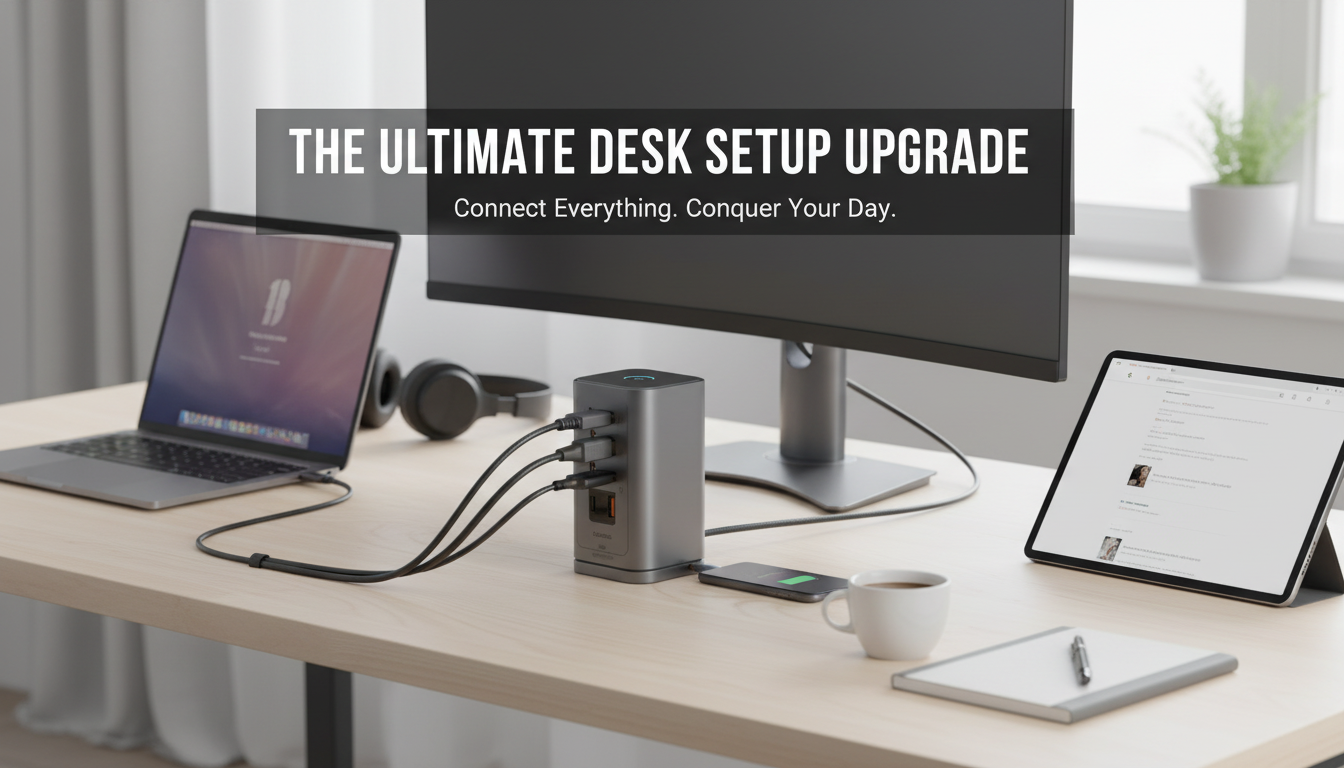
11-in-1 USB-C Hub Docking Station: One Cable for Displays, Storage, and Peripherals
A USB-C hub docking station can turn a single laptop port into a practical desktop-style workspace—adding display output, fast USB ports, card readers, Ethernet, and power pass-through. The result is fewer adapters, fewer cable swaps, and a smoother routine when moving between home, office, and travel setups.
What an 11-in-1 USB-C hub docking station actually does
An 11-in-1 hub is built to consolidate everyday connections so your monitor, keyboard/mouse, external drives, and network can run through one USB-C cable. That “one-cable” approach matters most for modern laptops that only include one or two USB-C ports.
- Consolidates connections so displays, storage, and accessories route through one hub.
- Reduces wear from constant plugging/unplugging directly on the laptop’s limited ports.
- Keeps desks cleaner for hybrid work, travel kits, hot-desking, and shared workspaces.
Port-by-port: how each connection improves a setup
Not every port helps every person. The best hub is the one that matches how you work—especially how you handle external displays, storage, and reliable connectivity.
| Connection | Best for | What to double-check |
|---|---|---|
| HDMI/Display output | External monitors, presentations | Laptop supports USB-C video (DP Alt Mode); resolution/refresh support |
| USB-A / USB-C data | Peripherals, flash drives, SSDs | Data speed rating; shared bandwidth across ports |
| Ethernet (RJ45) | Reliable network for work calls and downloads | Network speed rating; driver needs on older systems |
| SD / microSD | Camera and drone media transfer | UHS speed support; simultaneous card use behavior |
| Power delivery pass-through | Charging laptop while docked | Max wattage; charger/cable quality; heat management |
Video outputs (HDMI/Display)
External monitors are the biggest productivity upgrade for many workflows: more room for spreadsheets, chat tools, timelines, or reference material. Before buying, confirm your laptop supports video over USB-C (DisplayPort Alt Mode). For a deeper overview of the standard behind USB-C video, see VESA’s summary of DisplayPort Alternate Mode for USB Type-C.
USB-A and USB-C data ports
These ports keep everyday accessories working—mouse, keyboard, webcam, headset dongles—while also supporting storage. If you use an external SSD for editing or backups, prioritize the fastest data ports and avoid plugging multiple high-speed drives into a hub if everything shares the same upstream bandwidth.
Ethernet (RJ45)
Wired Ethernet can be the difference between a smooth meeting and a glitchy one, especially in apartments or offices where Wi‑Fi is crowded. It also helps with large downloads and consistent file transfers to network drives. On older systems, Ethernet chipsets may require drivers, so it’s worth checking compatibility if you’re using a legacy setup.
SD and microSD card readers
Creators, photographers, and drone users save time with built-in card slots. Look for UHS support if you routinely move large batches of photos or high-bitrate video, and confirm how the hub behaves if both SD and microSD are inserted (some models share a single reader channel).
Power delivery pass-through
Power delivery (PD) pass-through lets you power the hub and charge your laptop from one USB-C charger. The key is wattage: light office tasks may be fine at lower wattage, while heavier workloads (multiple displays, sustained CPU/GPU use, fast external storage) often need a higher-wattage charger. For background on USB-C design and capabilities, the USB-IF document library is a useful reference: USB Type-C Cable and Connector Specification resources.
Who benefits most (and who may not need one)
- Great fit for: ultrabook users with limited ports, remote workers who dock at a desk then travel, students using a monitor at home, and creators moving files from cards and drives.
- May be unnecessary for: desktops with plenty of ports, laptops with a dedicated docking connector, or anyone who only needs one extra USB port once in a while.
- For gaming or color-critical work: prioritize stable video output and bandwidth. If you attach many devices at once, a powered dock can be more consistent than a basic hub.
Compatibility checks before buying
If your laptop supports Thunderbolt, you may also want to understand how it relates to USB-C capabilities; Intel maintains a helpful overview here: Thunderbolt technology (compatibility overview).
Common problems with USB-C hubs and how to avoid them
11-in-1 USB-C Hub Docking Station spotlight
If your goal is a dependable one-cable routine—plug in once and instantly regain your display, accessories, wired network, and card access—an all-in-one hub is a straightforward upgrade. The 11-in-1 USB-C Hub Docking Station is designed to combine the connections that most desk setups rely on, helping a laptop behave more like a workstation.
| Item | Details |
|---|---|
| Product | 11-in-1 USB-C Hub Docking Station |
| Price | 198.51 USD |
| Availability | In stock |
| Product page | View product |
Setup tips for a stable one-cable desk
More in-stock picks
- 11-in-1 USB-C Hub Docking Station
- Your Ultimate Sleep-Boosting Checklist to Sleep Smart | Digital Download for Better Sleep | Things to Do to Improve Sleep | Printable Sleep Routine Guide
- Social Confidence in Any Situation | Printable Checklist for Self-Assurance and Communication Skills | Learn how to feel confident in social situations | Digital Download for Everyday Conversations and Networking
FAQ
Is a USB-C docking station worth buying?
It’s worth it when a laptop has limited ports and you regularly use an external monitor, wired network, storage, and peripherals. A dock saves time, reduces cable clutter, and makes docking/undocking consistent day to day.
What are the common problems with USB-C hubs?
The most common issues are disconnects from power limitations, heat, and shared bandwidth, plus display problems when the laptop doesn’t support DP Alt Mode or the chosen resolution/refresh. Ethernet and multi-display quirks can also show up on older systems that need specific drivers or updates.
















Leave a comment
You must be logged in to post a comment.